



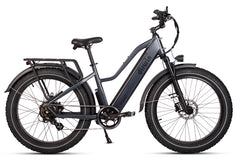






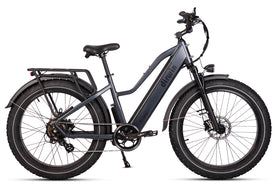





Pioneer 2 Manual, Specs & Assembly
Current model. This page covers the Dirwin Pioneer 2 electric bike. Not your bike? See all manuals.
Quick start
- Powering on: Hold down the Power button for 3 seconds to turn on your e-bike.
- Select pedal assist level: Use the "+" and "-" buttons to choose between pedal assist levels 0 to 5. Level 1 provides the least assistance, while level 5 offers the most. Level 0 disables pedal assist.
- Activate headlight: Once the display is on, hold down the "+" button for 4 seconds to turn on the headlight. When the headlight is on, press and hold the "+" button for 4 seconds to turn it off.
- Switch pedal-assist mode: Press the Power button to switch between Cadence sensor and Torque sensor modes for pedal assistance. The "C" or "T" icon will be displayed.
- Access settings: Press and hold both the "+" and "-" buttons for 4 seconds to enter the settings menu. Press the "+" and "-" buttons to select items once inside the settings menu.
- Adjust speed limit: Hold down the "-" button for 5 seconds to switch the top speed limit between 20 mph and 28 mph.
- Power lock: Go to Settings and choose Password. You can set a password to lock the e-bike's power when you're not using it.
- Start riding: You're now ready to ride your Dirwin Bike. Pedal with or without pedal assistance, use the throttle for acceleration, and enjoy your ride.
Videos
Pioneer 2 assembly
Pioneer 2S assembly (size S)
Manuals and downloads
Specifications
| Battery | 48V/30Ah (1440Wh) Lithium Battery (15.2 lbs) |
|---|---|
| Motor | 750W/1000W Peak |
| Bike Frame | A6061 Aluminium Alloy (IPX5 Water Resistant) |
| Display | XL 3.5" TFT LCD Color Display with USB-C Charging Port |
| Brakes | 180mm Hydraulic Disc Brakes (2 Pistons) |
| Derailleur | 10-Speed (8-Speed for S model) |
| Freewheel | Shimano 10-Speed (8-Speed for S model) |
| Shifter | Shimano 10S (8-Speed for S model) |
| Front Fork | Adjustable Hydraulic Suspension Fork |
| Charger | US-Standard 3A Smart Chargers (fits all Dirwin batteries) |
| Range | Up to 120+ Miles |
| Pedal Assist | Torque & Cadence - 5 Levels |
| Throttle | Thumb |
| Tires | 26"x 4.0" Puncture-Proof Tires (20"x 4.0" Tires for S model) |
| Saddle | HQ-Comfort Saddle |
| Charging Time | 5-8 Hours |
| Product Weight | 92 lbs (86 lbs for S model) |
| Total Payload Capacity | 450 lbs |
| Controller | 48V 25A |
| Chain Ring | 48T |
| Handle Bar | Φ30 x 685L |
| Seat Post | Φ30.4 x 300L with Suspension |
| Seat Post Clamp | Φ35.0 |
| Recommended Rider Height | 5'3"-6'4" |
| Rear Rack | Reinforced & Frame Integrated (250 lbs capacity) |
| Safety Certification | UL-2271 certified |
| Classification Level | Class 2 (Adjustable to Class 1 or 3) |
Dimensions and sizing
20" / S

| A. Total Length | 67.7" |
|---|---|
| B. Handle Bar Height | 44.5" |
| C. Wheelbase | 43.3" |
| D. Minimum Seat Height | 28" |
| E. Maximum Seat Height | 39" |
| F. Chain Stay Length | 18.1" |
| G. Standover Height | 20.5" |
| H. Top Tube Length | 22.1" |
| J. Head Tube Length | 7.9" |
| K. Handle Bar Length | 27" |
| L. Rear Rack Height | 27.2" |
26" / L

| A. Total Length | 76.8" |
|---|---|
| B. Handle Bar Height | 47.2" |
| C. Wheelbase | 47.4" |
| D. Minimum Seat Height | 31.3" |
| E. Maximum Seat Height | 42.3" |
| F. Chain Stay Length | 20.6" |
| G. Standover Height | 19.7" |
| H. Top Tube Length | 23.5" |
| J. Head Tube Length | 7.0" |
| K. Handle Bar Length | 27" |
| L. Rear Rack Height | 32.7" |
Parts and accessories
Need a replacement part or want to add gear? Check each product page for Pioneer 2 compatibility.
Warranty and support
Every Dirwin e-bike is covered by a 2-year warranty: 12 months included, plus a free 12-month extension when you register your bike on our site.