


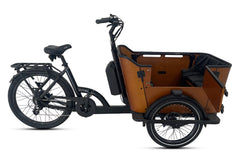

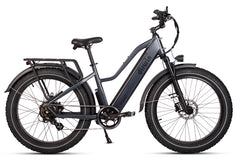






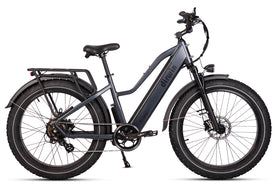


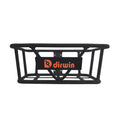
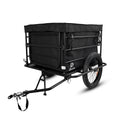

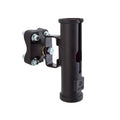
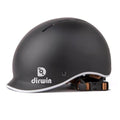



Congratulations on your new Dirwin Pacer Lite e-bike! This lightweight commuter e-bike is built to help you dash faster, safer, and more comfortably. With up to 45 miles of range, a smooth suspension fork, a color LCD with USB charging, and a built-in rear rack, your Pacer Lite is ready to work.
If you already have DoorDash delivery gear, this guide will show you how to use it with your new Pacer Lite. We cover four popular DoorDash accessories:
- The DoorDash Bike Phone Mount
- The Ultimate Bike Bag
- The Catering Bag
- The Premium Hot Bag
Each section shows what the accessory is, how to attach or use it with your Pacer Lite, and simple tips to keep your deliveries safe and fresh. Let's get started!
1. DoorDash Bike Phone Mount

The Bike Phone Mount is a simple holder that attaches to your handlebar. It holds your phone so you can see the DoorDash app while you ride. The mount rotates a full 360 degrees, so you can turn your screen to any angle you like. It is made of strong ABS plastic and silicone to keep your phone safe.
How to attach it to your Pacer Lite
- Find an open spot on the handlebar, close to the grip but not covering the LCD screen, brake levers, or shifter.
- Loosen the mount clamp by turning the knob or screw.
- Place the clamp around the handlebar.
- Tighten the clamp by hand until the mount feels firm and does not move.
- Open the phone grips and slide your phone into the holder.
- Rotate the mount until your screen is easy to see from the seat.
Quick tips
- Only look at your phone when stopped at red lights. Keep your eyes on the road while riding.
- Check that the clamp is tight before every shift.
- If your phone feels hot in the sun, flip it face-down for a few minutes to cool off.
2. The Ultimate Bike Bag

The Ultimate Bike Bag is a large insulated cube bag built just for bike delivery. It measures 45cm x 45cm x 55cm and has reflective strips so cars can see you at night. It is made of water-resistant material with thick insulation to keep food hot or cold.
This bag is the best choice for carrying many orders at once. It fits hot food, cold food, pizza boxes up to 16 inches, and drinks. Inside, you will find dividers and two drink holders, so your order stays in place on bumpy streets.
How to attach it to your Pacer Lite rear rack
- Place the bag flat on the rear rack of your Pacer Lite.
- Pull the bike-mount straps down from the sides of the bag and loop them around the rack tubes.
- Clip or buckle the straps under the rack.
- Tighten each strap until the bag does not shift when you push on it from any side.
- Gently pull up on the bag to make sure it is secure before you ride.
Backpack mode
If you would rather carry your orders on your back, pull the backpack straps out from the hidden pocket inside the bag. When you are not using them, tuck the straps back inside to keep the bag neat and stop them from snagging.
Quick tips
- Do not overload the bag. Keep the weight on your rear rack under 60 lbs.
- Use the expandable front pocket for tall items like pizza boxes.
- Open the bag from the top for fast access at customer doors.
- Wipe the inside clean at the end of every shift to keep it fresh.
3. DoorDash Catering Bag

The Catering Bag is a flat, rectangular insulated bag built for large catering orders. It measures 21.5 inches long, 13.75 inches wide, and 13.75 inches tall. The top zips fully closed so your food stays hot or cold. It has two strong handles for carrying, and a plastic board inside that keeps the bag in shape so food does not shift around.
Important: The Catering Bag does NOT have built-in bike-mount straps. Here are two ways to use it with your Pacer Lite.
Option 1: Carry over the shoulder
Use the two handles to carry the bag across your shoulder. This works best for short trips between the restaurant and a nearby customer.
Option 2: Secure to your rear rack with bungee cords or a cargo net
If you bring bungee cords or a small cargo net (sold separately at bike shops or hardware stores), you can secure the Catering Bag to your Pacer Lite's rear rack.
- Place the bag flat on the rear rack, with the zipper side facing up.
- Hook one bungee cord from the left side of the rack, across the top of the bag, to the right side. Pull it tight enough to hold, but not so tight that it crushes the bag.
- Add a second bungee cord in a cross pattern (front to back) for extra hold.
- Push and pull the bag gently to make sure it does not slide or tip.
- If you use a cargo net, stretch it over the whole bag and hook it to the rack on all four corners.
Note: The Pacer Lite rear rack includes bungee straps, but to prevent over-stretching or snapping, we recommend using a separate set of bungee cords for extra security.
Quick tips
- Keep the bag flat to prevent spills, especially with soups and sauces.
- Carry only one large catering order at a time.
- Check the bungee cords every few minutes on long rides.
4. DoorDash Premium Hot Bag

The Premium Hot Bag is a smaller insulated bag made to keep one or two orders hot. It is the perfect backup bag for small deliveries, or for separating hot food from cold food during a stacked order.
Like the Catering Bag, the Premium Hot Bag does NOT have built-in bike-mount straps. You have two good options for using it with your Pacer Lite.
Option 1: Carry inside a bigger bag or on your shoulder
If you already own the Ultimate Bike Bag, you can place your Premium Hot Bag inside it. This keeps hot items separate from cold items, all in one load. You can also carry the Premium Hot Bag in a backpack.
Option 2: Secure to your rear rack with bungee cords
- Place the Premium Hot Bag flat on your rear rack, with the zipper facing up.
- Wrap one bungee cord around the bag and rack, going from left to right.
- Add a second bungee cord front-to-back or in an X pattern for extra hold.
- Push on the bag to make sure it does not tip or fall off before you ride.
Quick tips
- Keep the zipper closed for the entire ride. This keeps food hot and stops spills.
- Use this bag for single orders or to separate hot and cold items in a stack.
- Wipe the inside clean at the end of every shift.
Safety Tips for Dashing with Your Pacer Lite
Before your first shift, keep these simple safety rules in mind:
- Wear a helmet. A helmet can save your life.
- Follow local bike laws. Ride in the bike lane when you can, follow traffic signals, and do not ride on the sidewalk.
- Keep your load balanced. Heavy items should sit low on the rear rack, not high on the handlebars.
- Check your tires and brakes before every shift.
- Charge the battery fully. A full charge on your Pacer Lite can last up to 45 miles.
- Stay visible. Turn on your lights at night, and wear bright or reflective clothing.
- Mind the total weight. The Pacer Lite has a maximum load of 275 pounds, including you, your bag, and your order.
Ready to Dash
Your new Dirwin Pacer Lite, paired with the right DoorDash accessories, gives you everything you need to deliver safely and quickly across NYC. Whether you are picking up a single hot meal or a full catering tray, the steps above will help you get on the road with confidence.
Have questions about your Pacer Lite? Visit dirwinbike.com or reach out to the Dirwin support team.
Dash safely, and welcome to the Dirwin family!


Leave a comment